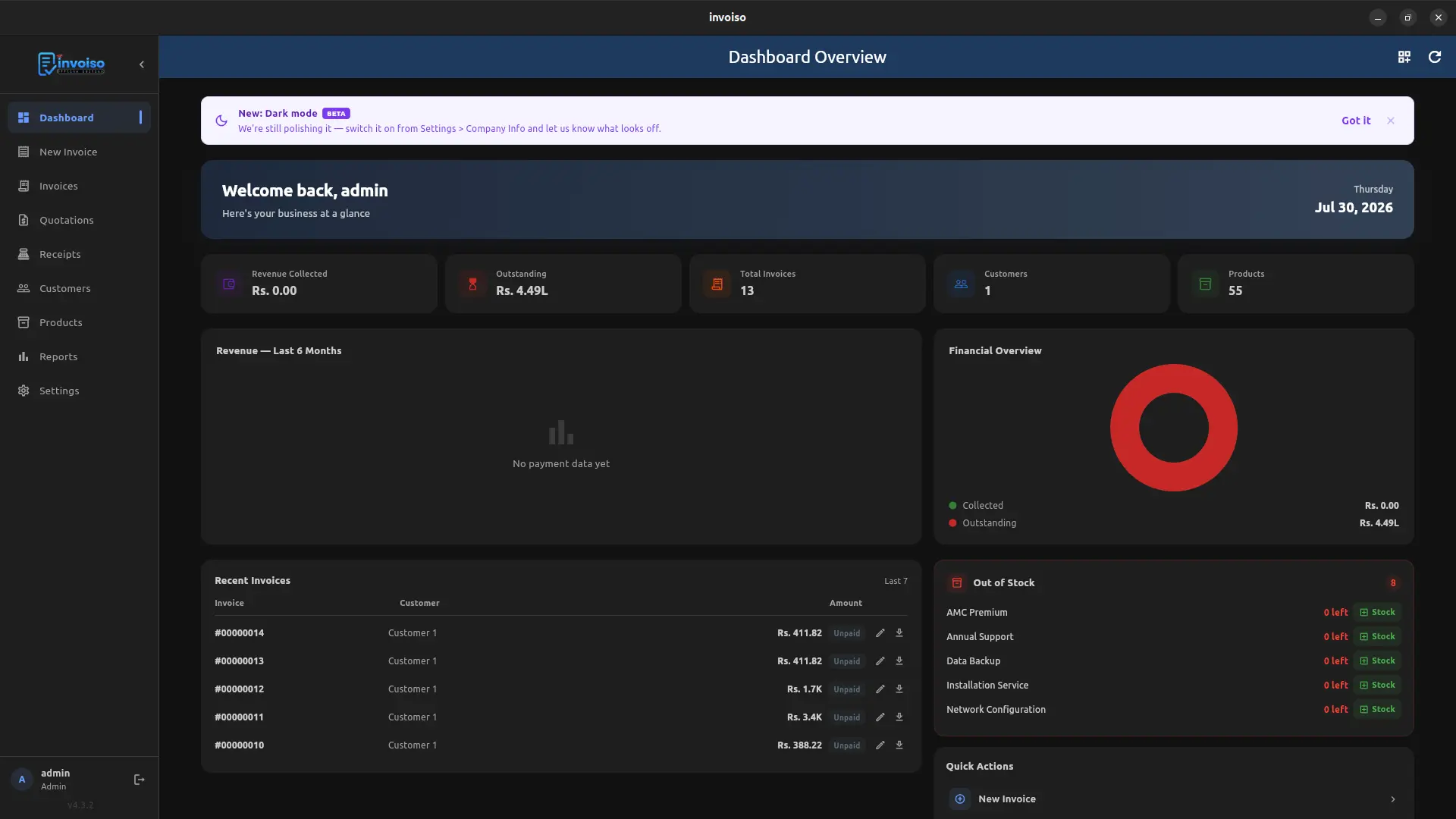
Dark mode has been the most requested feature since Invoiso launched, and it shipped as part of the same release that added multi-currency support and the new dashboard layouts (see the changelog). It is live now, rolled out across every core screen — same layout, same data, dark surface instead of light.
This wasn't a simple color inversion. Text contrast, chart colors, status badges (paid, overdue, out of stock) and the financial overview donut chart all needed separate palettes so they stay readable against a dark background instead of just looking washed out.
Where it applies
- Dashboard overview — revenue, outstanding, invoices, customers, products and financial overview cards
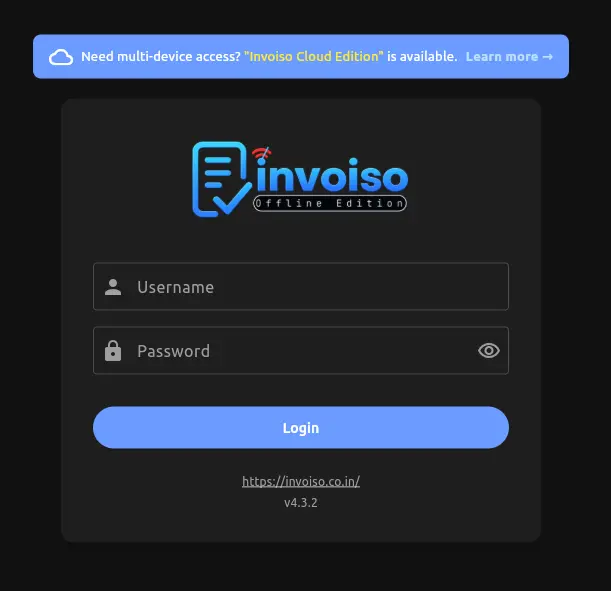
- Login screen — username, password and cloud edition banner
- Recent invoices, out of stock and quick actions panels
- Invoice list, customer list and product list screens
- Charts and the financial overview donut render in dark-friendly colors, not just a straight color inversion
- Settings and reports screens, so the whole session stays dark once switched on — not just the dashboard shell
How to turn it on
Go to Settings > Company Info and toggle dark mode on. The switch applies immediately — no restart needed — and the preference is saved locally, so Invoiso reopens in the same mode next time you launch it.
Why it's marked beta
Dark mode is functional across every core module, but it's tagged beta because a few less-common screens and third-party PDF template previews are still being tuned for contrast. If a color looks off or a panel doesn't fully switch, that's expected during this phase — switching back to light mode from the same Settings toggle always works as a fallback.
Why dark mode matters beyond looks
For anyone billing late at night or running Invoiso on a shop counter monitor for hours at a stretch, a bright white dashboard is genuinely tiring on the eyes. Dark mode also tends to reduce power draw slightly on OLED and some laptop displays, though that wasn't the primary reason it was built — the main driver was the volume of user requests since the first release.
What's next
Feedback from the beta period will decide when dark mode moves out of beta and whether a system-matched auto-switch (following the OS light/dark setting) gets added. If you hit a screen that doesn't render correctly in dark mode, that's the kind of report that speeds this up.
Availability
Dark mode ships in the same free download as everything else — Linux and Windows both get it, with no separate build or paid tier required. It landed alongside multi-currency support, the four new dashboard layouts, and additional font support for Malayalam, Tamil, Telugu, Hindi, Kannada and Marathi, all in the same release.
Frequently asked questions
Does dark mode affect generated PDFs? No. Dark mode only changes the app's on-screen interface. Invoice PDFs are generated using your chosen PDF template's own color scheme, independent of whether you're working in light or dark mode.
Can I switch back to light mode any time? Yes — the same Settings > Company Info toggle switches it off instantly, and there's no restriction on switching back and forth as often as you like.
Will dark mode use less battery on a laptop? On OLED and some newer LCD panels, a darker interface can reduce power draw slightly, though the effect varies by hardware and wasn't the main reason dark mode was built.
Update to the latest version from the changelog, or download Invoiso to try dark mode now.