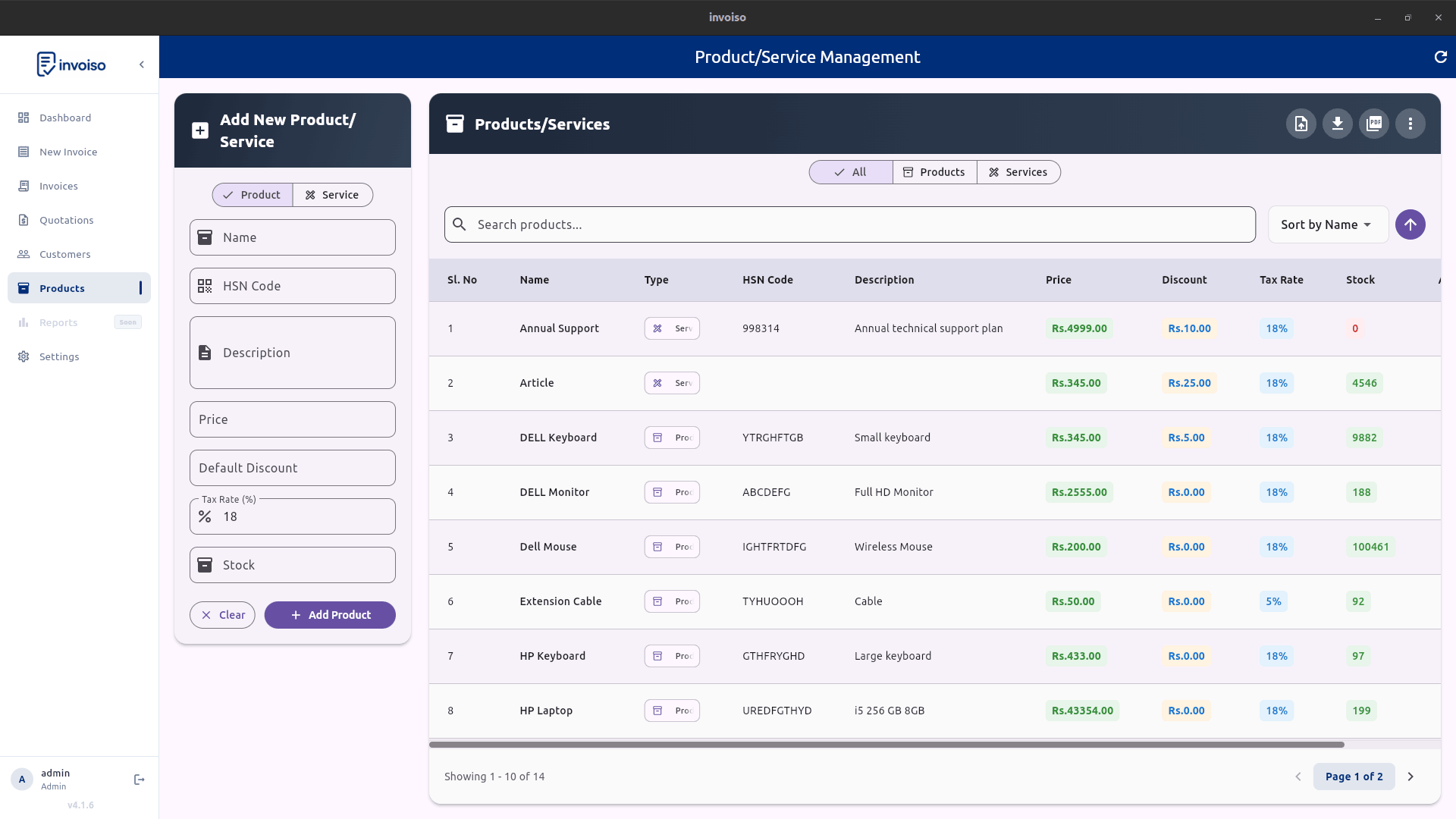
Every GST invoice carries an HSN code next to each line item, and for years most small businesses got away with a short, generic 4-digit version of it. That's changing. GST return filing has been tightened in phases since 2021, and the direction is consistently the same: more taxpayers, reporting longer and more specific HSN codes, on more of their invoices. If your business currently uses 4-digit codes and your turnover has grown, or you've simply never checked which digit length applies to you, this is worth getting right before it shows up as a GSTR-1 mismatch. Here's who the 6-digit HSN mandate applies to, how to find the correct code, the mistakes that trip businesses up, and how to update HSN codes on products and invoices in Invoiso.
What an HSN code is and why the digit count matters
HSN stands for Harmonized System of Nomenclature — an international system for classifying traded goods, maintained at a global level as an 8-digit code and adapted by India's customs and GST framework. Under GST, businesses report a shorter prefix of that full code — 2, 4, 6, or 8 digits depending on the rule that applies to them — where each extra pair of digits narrows the classification from a broad category down to a specific product. A 4-digit code might correctly identify "textile fabrics" as a category; a 6-digit code narrows that to a specific type of fabric. The government cares about the extra precision because HSN data feeds directly into GST return validation, e-invoice generation, and the tax rate that gets applied — a code that's too generic can map to the wrong rate or fail validation entirely, especially since GST 2.0 changed which rate applies to which specific product.
Who the 6-digit mandate applies to
HSN reporting requirements are tied to a business's aggregate annual turnover (AATO), and CBIC has tightened them in stages under Notification No. 78/2020 and the advisories that followed it. As things currently stand: businesses with AATO up to ₹5 crore in the preceding financial year need at least a 4-digit HSN code, mandatory on B2B invoices; businesses with AATO above ₹5 crore need at least a 6-digit HSN code across their outward supplies. Since January 2025, HSN-wise reporting in GSTR-1 Table 12 has also become mandatory for every taxpayer regardless of turnover, and the portal now requires selecting the code from a validated dropdown rather than typing it in freehand, which closes off a lot of the manual-entry errors that used to slip through. GSTN advisories have continued signalling intent to tighten HSN reporting further, so the practical rule for any growing business is simple: if your turnover has crossed ₹5 crore, or you're not sure which bracket you're in, confirm your exact requirement against the latest GST portal advisory rather than assuming last year's rule still applies — thresholds and phase-in dates are the kind of detail that changes with each notification.
How to find the correct 6-digit HSN code for your product
- Check your existing paperwork first. Purchase invoices from suppliers for the same product often already carry a valid HSN code — that's frequently the fastest, most reliable starting point.
- Use the GST portal's HSN/SAC search tool. The official search lets you look up codes by product description or by narrowing down a chapter/heading, and returns the current valid code at each digit length.
- Cross-check against the customs tariff schedule for anything ambiguous — some products sit close to two plausible categories, and the tariff schedule's descriptions are more precise than a portal search box.
- Ask your CA for anything genuinely unclear. Misclassifying a product's HSN code can also mean applying the wrong tax rate, so it's worth a second opinion rather than guessing.
- When two codes both seem plausible, use the more specific one rather than a broader catch-all — that's the direction GST reporting is moving in, and it's less likely to fail future validation.
Common HSN mistakes businesses make
- Continuing to use an old 4-digit code after turnover crosses ₹5 crore, without extending it to 6 digits.
- Copy-pasting an HSN code from a competitor's invoice or a generic online list without checking it actually matches the specific product being sold.
- Leaving the HSN field blank on service invoices — services carry an SAC (Services Accounting Code), which follows the same digit-length logic and shouldn't be skipped.
- Using different HSN codes for the same product across different invoices, which creates mismatches when GSTR-1 Table 12 is compared against the underlying invoice data.
- Typing the code manually from memory instead of picking it from a verified list — a single transposed digit points to a completely different product category.
How to update HSN codes in Invoiso
- Open your product list. Go to Products and review the HSN code currently set on each item, especially older entries added before your turnover crossed any threshold.
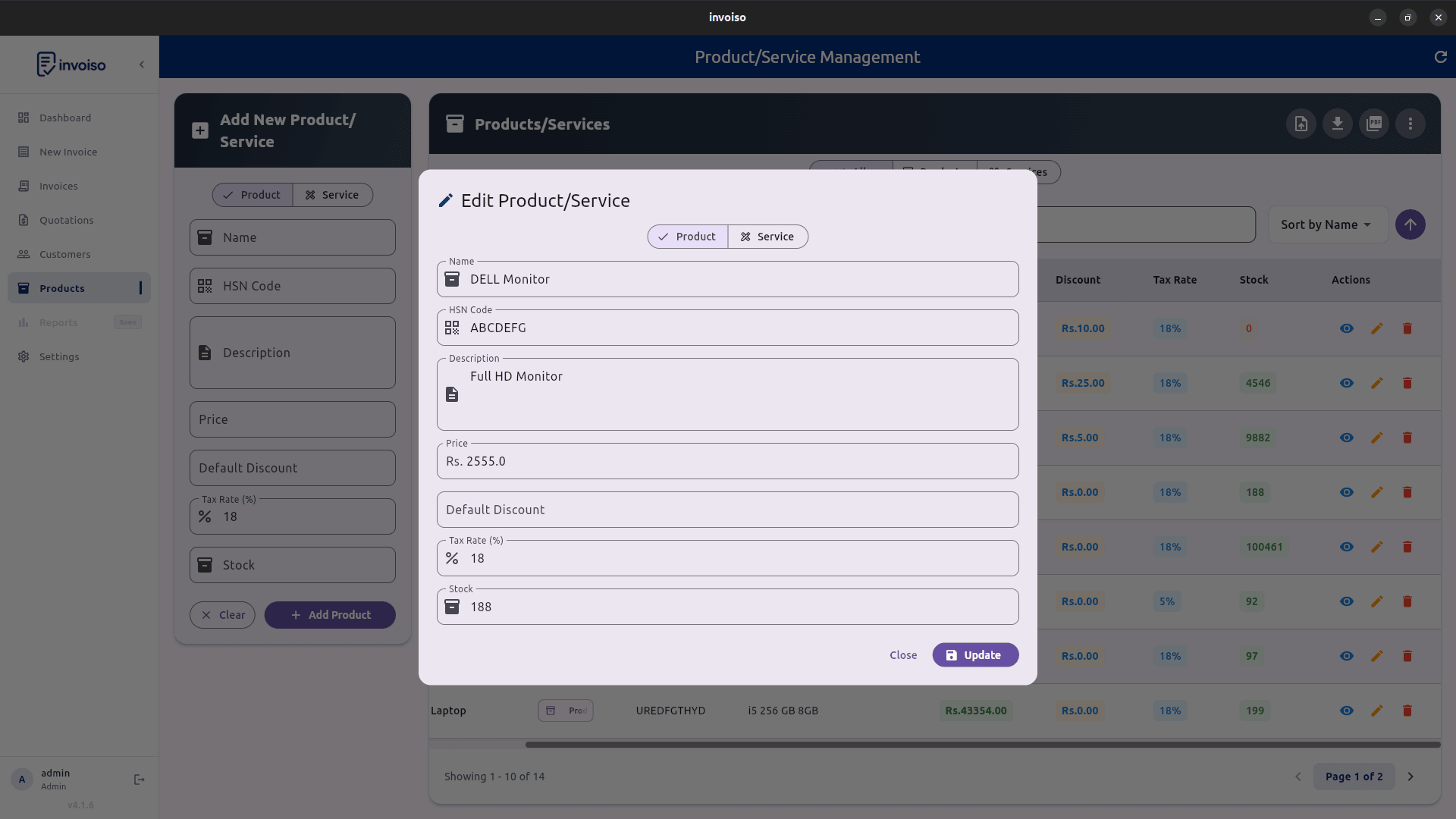
- Edit the HSN/SAC field. Open the product and enter the correct 6-digit code (or the digit length that applies to your current turnover bracket).
- Save the product. Invoiso carries the updated HSN code into every future invoice line that uses this product, so you don't have to re-enter it invoice by invoice.
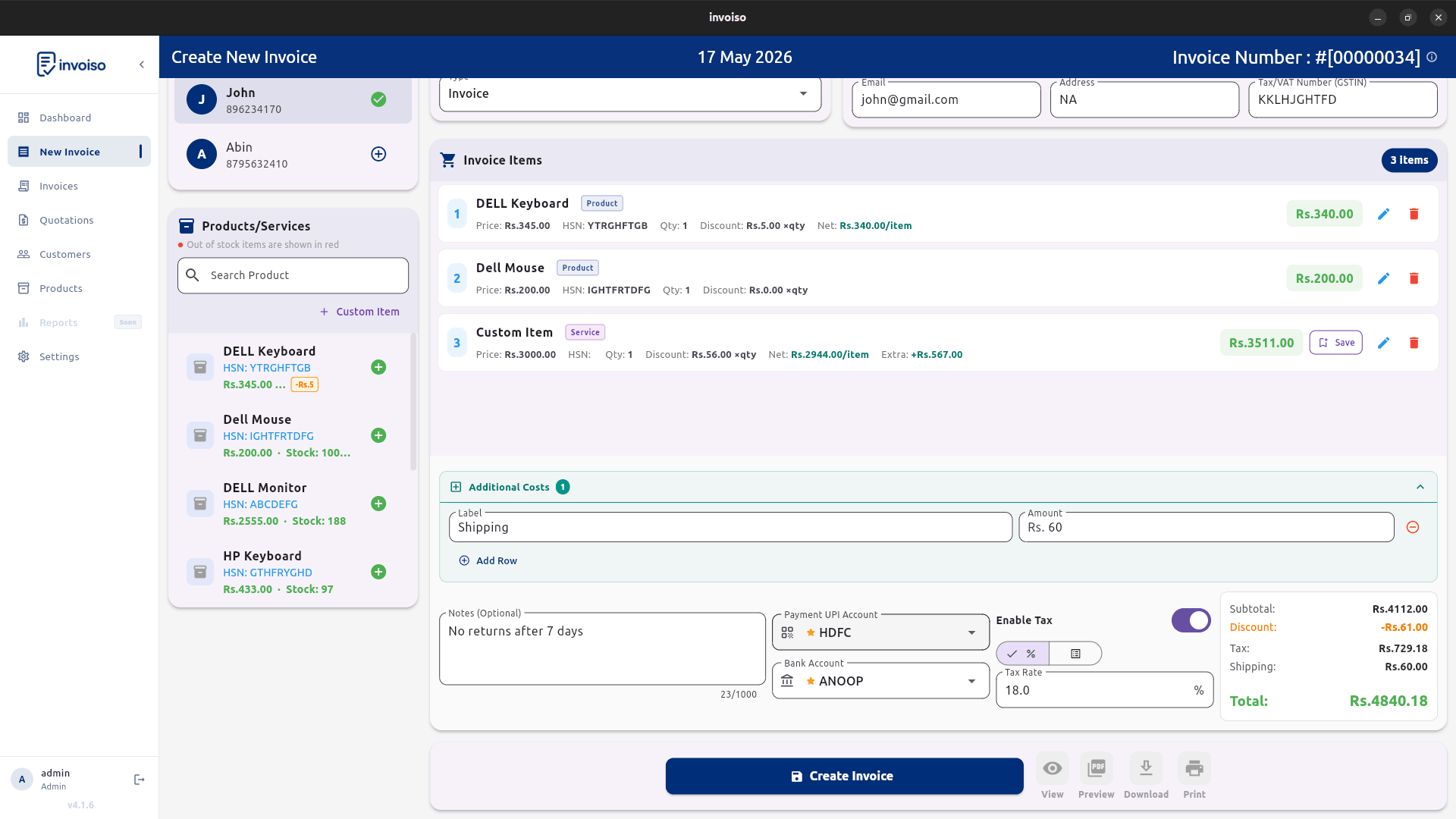
- Check invoice-level overrides. If any past invoice has a manually typed HSN code instead of one pulled from the product record, review and correct those separately.
- Review before filing. Before filing GSTR-1, scan recent invoices to confirm the HSN summary matches what Table 12 expects for your turnover bracket.
Why getting this right matters beyond compliance
An incorrect or missing HSN code doesn't just risk a notice — it causes practical friction sooner than that. GSTR-1 filings can throw validation errors against Table 12 if the reported codes don't match the digit length your turnover requires. E-invoice and e-way bill generation, where applicable, validates HSN codes against the same master data, so a bad code can block document generation outright. And on the buyer's side, a mismatched or inconsistent HSN code across invoices can complicate their input tax credit reconciliation, which is the kind of thing that quietly damages a business relationship even when no one flags it directly. Getting the HSN code right once, at the product level, is a small amount of work that avoids all three.
How the HSN mandate connects to GST 2.0
HSN codes and GST rates aren't two separate compliance chores — they're directly linked, because the HSN code is what determines which rate a product falls under in the first place. The GST 2.0 rate rationalisation redrew the rate table against the existing HSN schedule, which means a product whose HSN code was already slightly wrong before the reform is now more likely to sit at the wrong new rate too, since the classification error compounds with the rate remap. This is a good moment to check both fields together rather than one at a time: when you update a product's tax rate for GST 2.0, confirm its HSN code is the correct one at the digit length your turnover requires, and vice versa. A product with a correct 6-digit HSN code but a stale 12% or 28% rate is just as much a compliance gap as one with the right rate but a generic 4-digit code that should now be six. Treating the product master as the single source of truth for both fields — rather than patching tax rate and HSN code separately across old invoices — is the fastest way to close both gaps at once.
Frequently asked questions
What is the 6-digit HSN code mandate?
It's the GST requirement to report a 6-digit HSN code — instead of the shorter 4-digit code — on invoices and in GSTR-1 Table 12, based on a business's aggregate annual turnover. It replaces coarser 2 or 4-digit classification with a more specific one.
Who needs to use a 6-digit HSN code?
Under current CBIC rules, GST-registered businesses with aggregate annual turnover above ₹5 crore must use 6-digit HSN codes; businesses at or below ₹5 crore currently need 4-digit codes on B2B invoices. Always confirm the threshold that applies to you against the latest GST portal advisory, since digit requirements have been tightened in phases.
What happens if I use the wrong HSN code on an invoice?
A wrong or mismatched HSN code can cause GSTR-1 validation errors, e-invoice or e-way bill generation failures, incorrect tax rate application, and reconciliation mismatches for the buyer's input tax credit claim.
Where do I find my product's correct HSN code?
Use the HSN/SAC search tool on the GST portal, check codes already used on your supplier's purchase invoices for the same item, or confirm with your CA or the customs tariff schedule if the classification is unclear.
HSN reporting rules are still being phased in — confirm your applicable digit length against the current GST portal advisory for your turnover bracket. Invoiso lets you set the HSN code once per product and reuse it on every invoice, offline. See free GST billing software or download the desktop app.