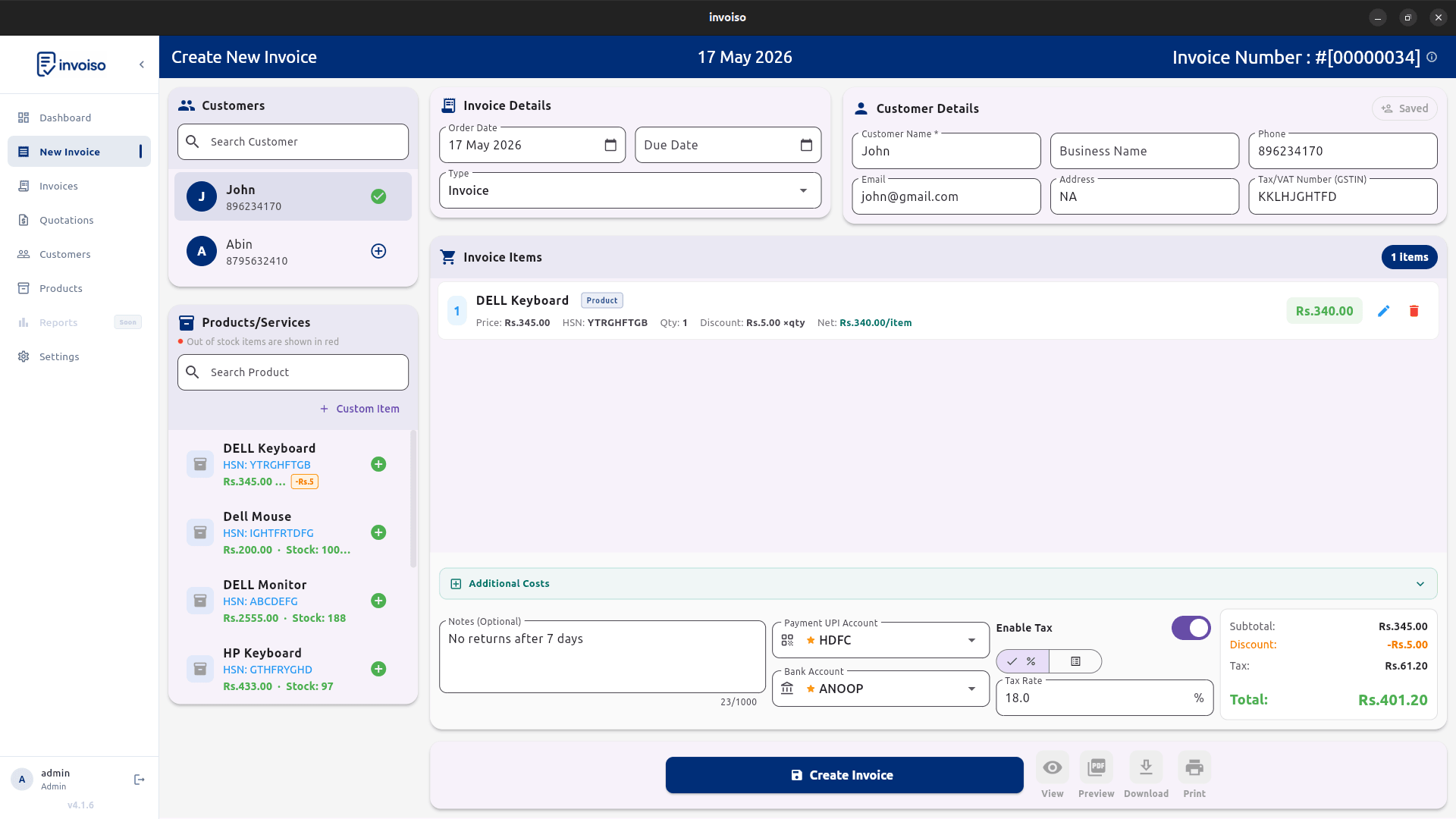
A GST invoice isn't just a bill with a tax number stapled on — it needs a specific set of fields to hold up for your customer's input tax credit claim and your own GST return. This guide walks through exactly what those fields are and the order to fill them in when creating one in Invoiso, from company setup through to the final PDF.
Seller and buyer details
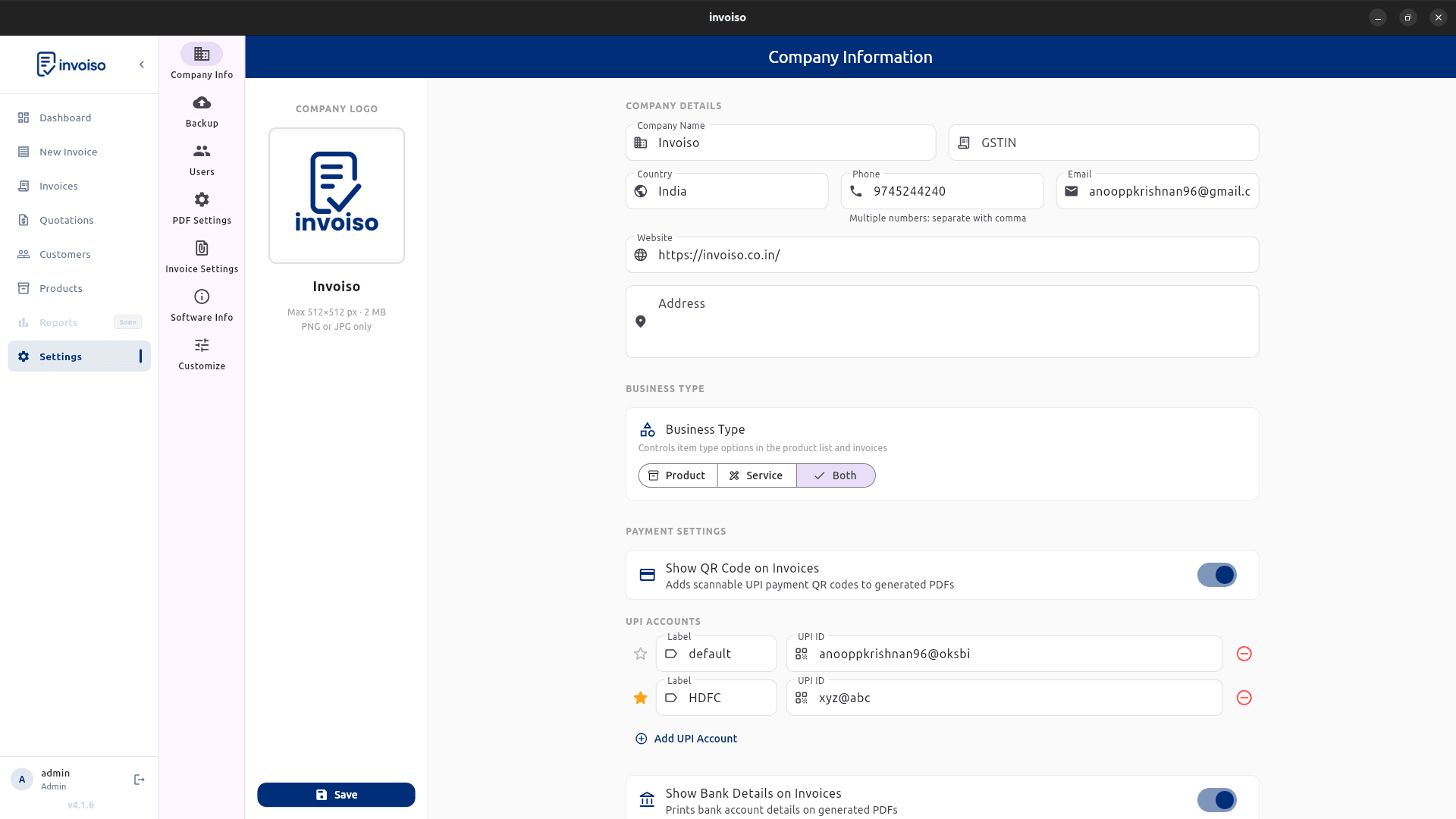
Start with the legal business name, address, phone or email, and GSTIN where applicable. Add the customer name, business name, billing address, and customer GSTIN if the buyer is registered. In Invoiso this lives under Settings → Company Info for your own details — fill it in once and it appears on every invoice you generate afterward, so you never retype your GSTIN or address again.
Invoice number and date
Every invoice should have a unique invoice number and invoice date. If payment is not immediate, include a due date so both sides understand the payment timeline. Invoiso auto-increments the invoice number for you with a configurable prefix, so numbering stays sequential without you tracking it manually in a register.
Line items and tax fields
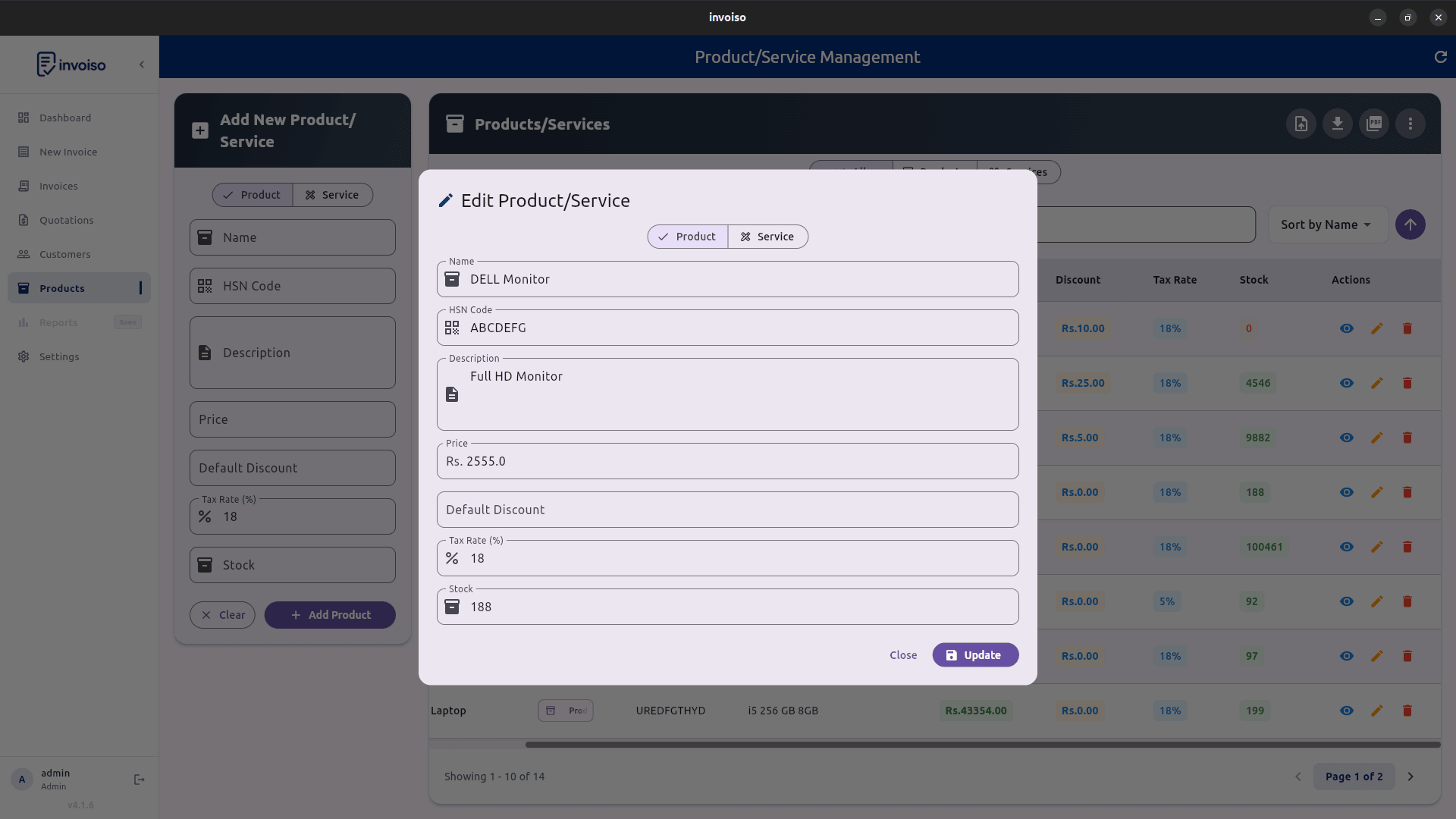
Each product or service line should include a description, quantity, rate, discount if any, HSN or SAC where needed, and tax rate. For Indian GST workflows, businesses often need CGST, SGST, or IGST depending on the sale. Set the HSN (for goods) or SAC (for services) code once on the product record itself, and it carries into every invoice line automatically — you don't retype a code every time you bill the same item.
How to create the invoice, step by step
- Set up your company GST details once. Settings → Company Info: business name, address, and GSTIN.
- Add HSN/SAC codes to your products. Open each product record and set its HSN (goods) or SAC (services) code plus a default tax rate.
- Add or pick the customer. Enter name, billing address, and GSTIN if it's a B2B sale — leave GSTIN blank for a B2C sale to an individual.
- Start a new invoice and add line items. Select the customer, add products, and set quantity, rate, and discount per line.
- Let Invoiso calculate the tax breakup. Based on the tax rate you set and whether the sale is intra-state or interstate, the invoice splits the amount into CGST + SGST or applies IGST — no manual percentage math.
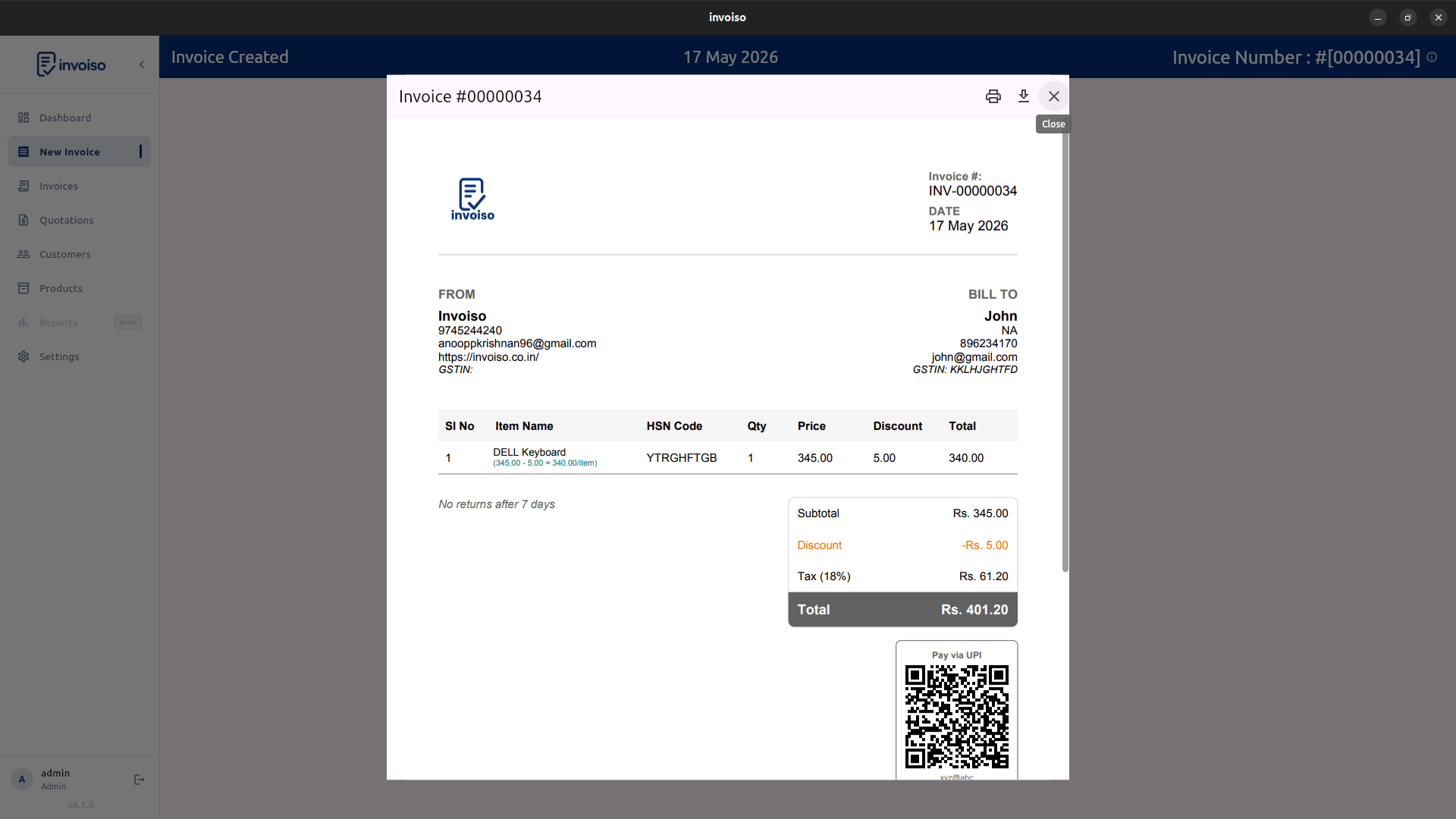
- Generate the PDF. The finished invoice carries your GSTIN, the customer's GSTIN (if entered), HSN/SAC codes, the tax breakup, and the grand total, ready to send or print.
CGST, SGST, and IGST — which applies
The rule is simple: same state, split the rate into CGST and SGST (half each); different state, apply the full rate as IGST. Invoiso applies this automatically once your company state and the customer's billing address are on file, so you don't have to remember the rule invoice by invoice — it just shows the right breakup on the PDF.
Totals and payment details
Make the subtotal, tax amount, additional charges, discounts, paid amount, and balance easy to read. Include bank details, UPI ID, or a UPI QR code if you accept digital payments — see the UPI QR guide for the exact setup steps. Mark the invoice as paid, partially paid, or unpaid once payment comes in so your records stay accurate for GST return filing later.
A note on GST compliance
Invoiso gives every field a GST invoice needs and calculates the tax breakup for you, but it is billing software, not a GST filing or return-preparation tool. Confirm your exact invoice format and filing obligations with your accountant or the GST portal for your business's specific situation — this guide covers the invoice fields, not tax law.
Invoiso can create GST-ready PDF invoices offline with GSTIN, HSN, tax fields, payment tracking, and UPI QR support. See free GST billing software or download the desktop app.